Made for your Mac
Write your way.
Keep your files.
A native Markdown editor for notes, drafts, and the next good idea. Write visually. Keep real .md files.
Unlimited notes. Free writing and PDF export.
macOS 14 or later · No app account required
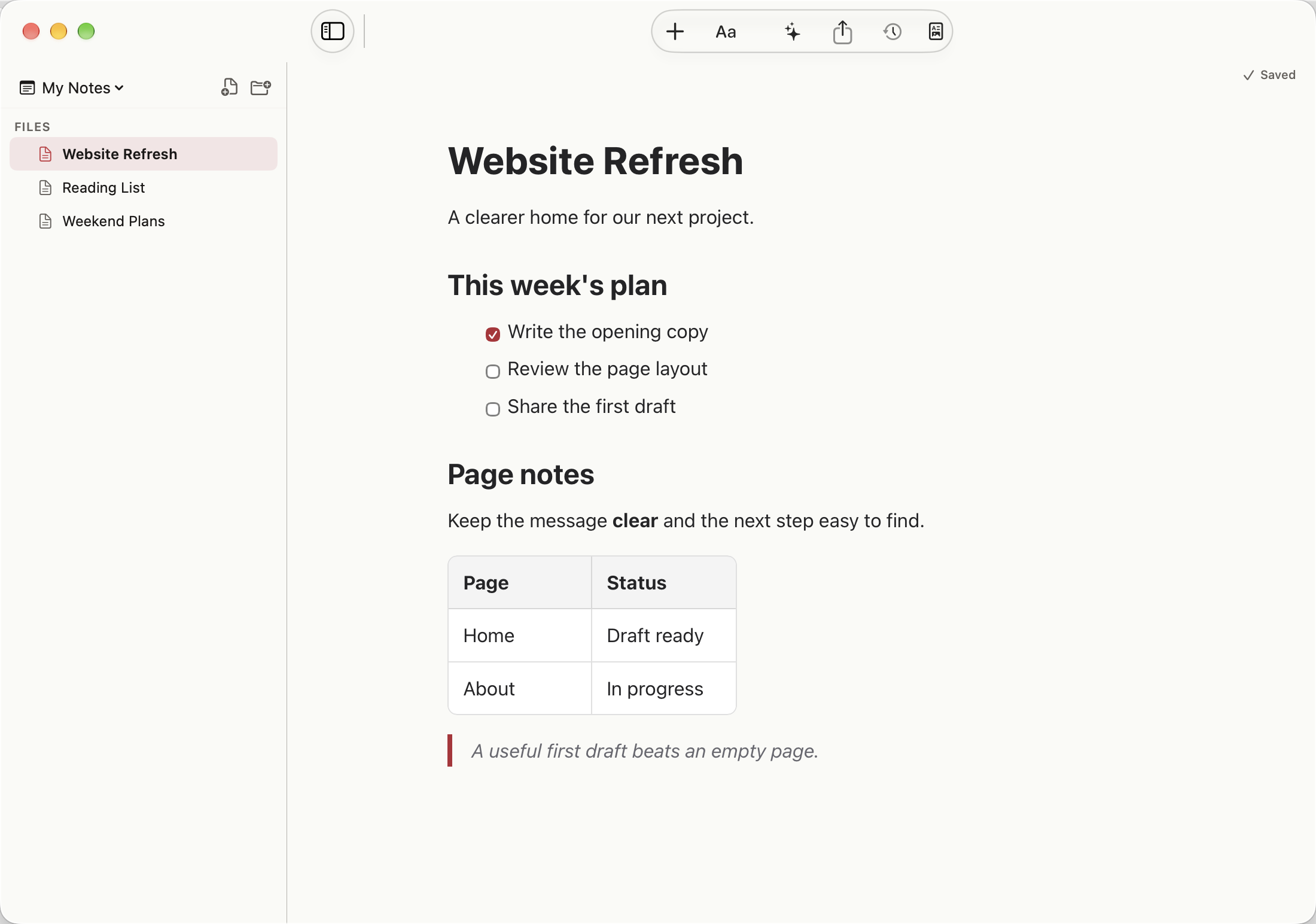
Swipe across the app view.
Work on the words
Write with visible formatting. Switch to source when you want to see the syntax.
See the editorKeep ordinary files
Open a folder you choose. Your notes stay readable in other Markdown apps.
See how files workShare a finished note
Send a PDF when your reader needs the result, with formatting ready to read.
See sharing optionsStart with something useful
A little structure.
More room to write.
Find the syntax you need, borrow a template, or build a Markdown table. Then keep going in the app.
Browse all guides & toolsFree to write. Pro when you need it.
Write as much as you like.
Unlimited notes, all four views, search, and Markdown and PDF export. No MarkThatDown account required.
Get MarkThatDown freeOptional Pro
More control over your work.
Compare versions. Lock private notes. Export Word and HTML. Make your own templates and shortcuts.
Monthly, annual, or one-time lifetime access. Apple shows local prices and any eligible trial before purchase.
Pro Writing Tools need macOS 26 or later and compatible Apple Intelligence hardware.
A few things to know
Is MarkThatDown free?
Yes. Write as many notes as you like. Visual, source, split, and reading views, search, and Markdown and PDF export are free.
What does Pro add?
Pro adds version history, locked notes, Word and HTML export, custom templates and shortcuts, a tag browser, icon colors, and optional Writing Tools. Choose monthly, annual, or lifetime access through Apple.
Where are my notes stored?
Ordinary notes are .md files in a folder you choose. MarkThatDown does not provide its own cloud sync. A folder synced by another service follows that service’s behavior. Keep your own backups.
Which Macs can use it?
The editor supports macOS 14 or later. Pro Writing Tools also require macOS 26 or later and a Mac that supports Apple Intelligence.
Can I use my files in another app?
Yes. Ordinary notes remain Markdown files. Different apps can render Markdown extensions differently. Locked notes use an encrypted format and need to be unlocked before you share ordinary Markdown.
Do I need an account?
No MarkThatDown account is required. Apple manages App Store purchases. You can restore those purchases using the Apple Account that bought them.

A home for your next idea
Your next note can start here.
Get MarkThatDown freeUnlimited notes. macOS 14 or later.