 MarkThatDown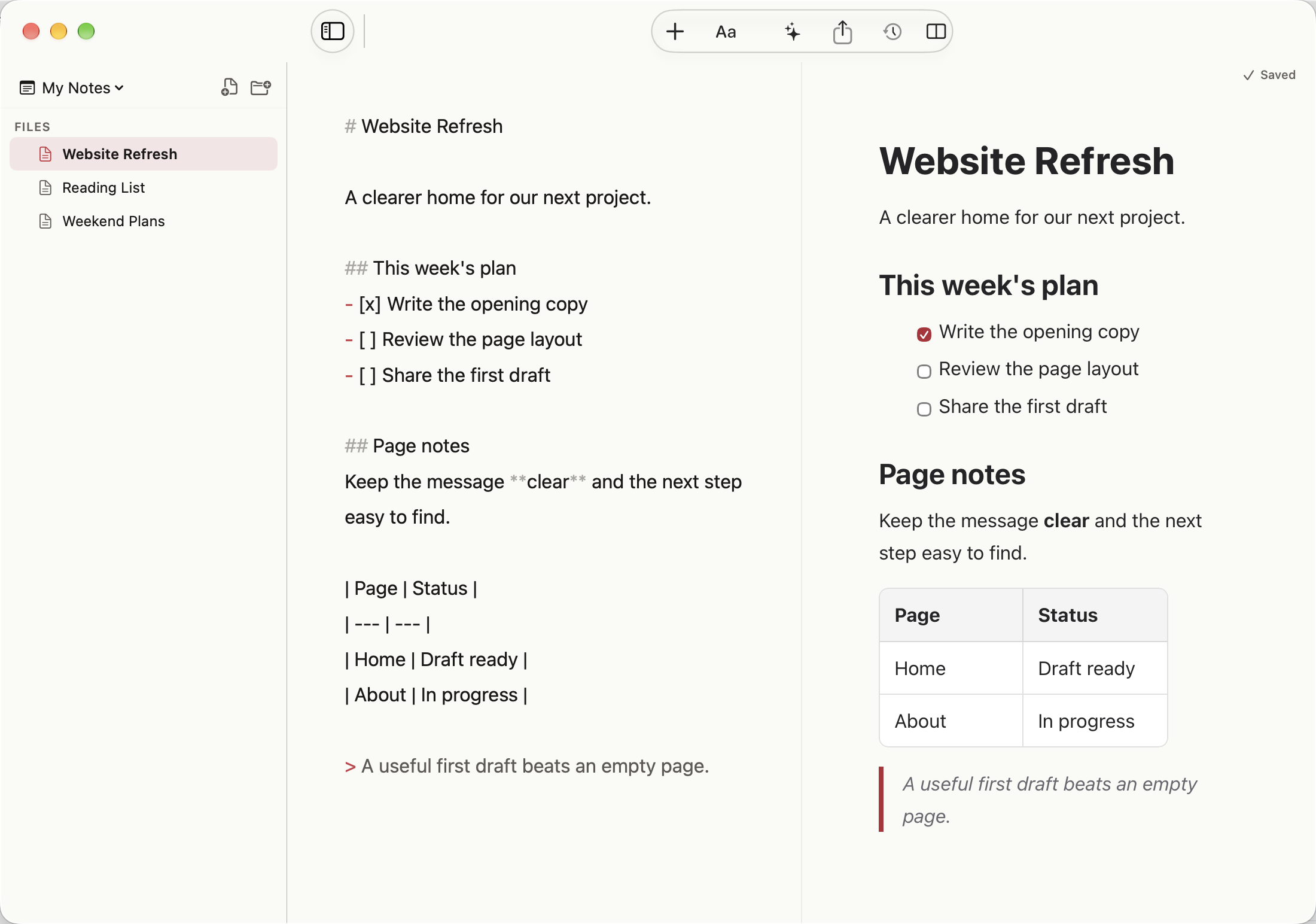
A closer look at the result
Use Control-Command-3 for Split Preview. Edit the source and check headings, lists, and tables alongside it. Switch to a single view when you need more space.
Give both panes enough space
Split Preview is free, with unlimited notes. A narrow Mac window gives each pane less space. The preview is a rendering of your file, not a separate saved copy.
Free writing stays available
MarkThatDown has no free note limit. Optional Pro access is available monthly, annually, or through a one-time lifetime purchase. Apple shows your local price and eligible offers before purchase.